Live overview
CPU, memory, storage and network cards with 60-second graphs, plus larger history views from 60 seconds to one hour.
 Tasky
Tasky is a fast, private task manager and system monitor for Linux and Windows. Follow live CPU, memory, disk and network use, inspect and control processes, and benchmark your machine, all without sending anything off your computer.
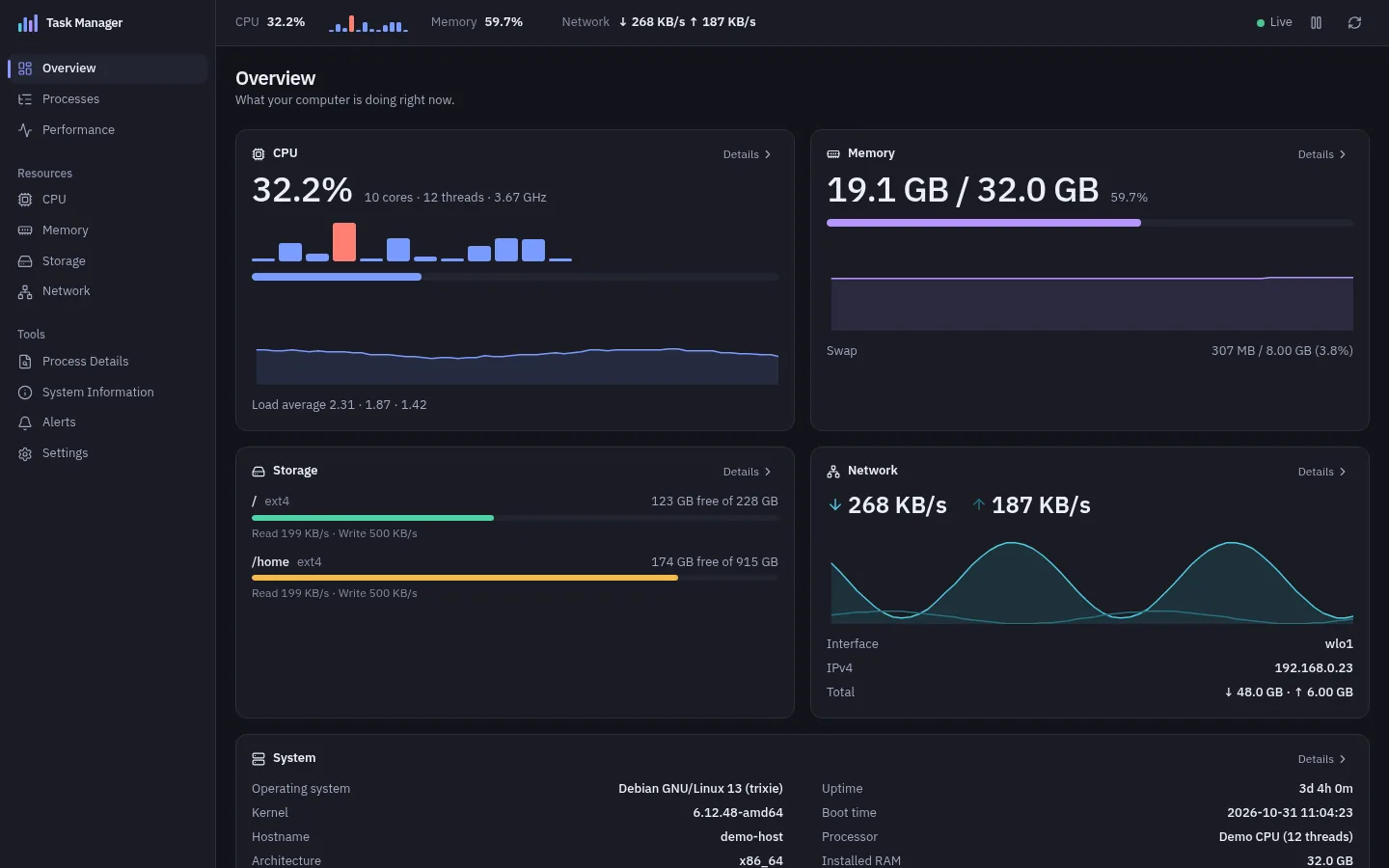
Tasky keeps the essentials one click away and stays fast with thousands of processes.
CPU, memory, storage and network cards with 60-second graphs, plus larger history views from 60 seconds to one hour.
Instant search by name, PID, command line or user. Filter presets, a process tree, sortable columns and heat mapping.
End, suspend, resume or reprioritize processes. Critical system processes are protected, and risky actions ask first.
CPU, memory and disk history, working directory, child processes and TCP and UDP connections for any process.
Repeatable CPU and GPU compute tests, a disk benchmark on Linux, and run history with safe comparison between results.
Internet test only runs after you confirmRules such as “CPU above 80% for 20 s” with desktop notifications, and a tray icon with a live CPU and memory summary.
See and manage systemd services, and mount or unmount external drives from the Storage page. System-critical items stay locked.
LinuxExport processes as CSV or JSON. A command palette (Ctrl+K), search (Ctrl+F) and full keyboard navigation.
Follow your system theme, or pick one in Settings.

| Platform | Status |
|---|---|
| Debian 12+ and Ubuntu 22.04+ (amd64) | Signed APT repository below. Tested on KDE Plasma and GNOME under Wayland. The tray needs StatusNotifier or the AppIndicator extension on GNOME. |
| Windows 11 (x64) | Supported. See the README for details. |
| macOS | Not yet. |
Add the signed repository once and APT keeps Tasky updated with your other packages. Verify the signing key before you trust it.
sudo apt update
sudo apt install ca-certificates curl gnupg
The fingerprint printed by gpg must be exactly this. Also compare it
with the one in the
README on GitHub.
48F8 0DD5 6C89 66D2 59B2 11C8 1D4B 05C4 EEA1 F6B4
curl -fsSLo /tmp/tasky-archive-keyring.asc \
  https://mikeholp87.github.io/Tasky/tasky-archive-keyring.asc
gpg --show-keys --with-fingerprint /tmp/tasky-archive-keyring.ascgpg --dearmor --output /tmp/tasky-archive-keyring.gpg \
/tmp/tasky-archive-keyring.asc
sudo install -D -m 0644 /tmp/tasky-archive-keyring.gpg \
/usr/share/keyrings/tasky-archive-keyring.gpg
echo 'deb [arch=amd64 signed-by=/usr/share/keyrings/tasky-archive-keyring.gpg] https://mikeholp87.github.io/Tasky stable main' \
| sudo tee /etc/apt/sources.list.d/tasky.list >/dev/nullsudo apt update
sudo apt install tasky
Update later with sudo apt update && sudo apt upgrade. Remove
with sudo apt remove tasky. Prefer a single file? Download
Tasky.deb and its SHA-256 checksum from
GitHub Releases.
All monitoring stays on your machine. Tasky does not phone home.
The only network use is the optional internet benchmark, which runs only when you press its button and confirm the dialog.
MIT licensed source on GitHub, and a signed APT repository you can verify yourself.
No. There is no telemetry and it works fully offline. The only network use is the optional internet benchmark, which contacts Cloudflare’s speed endpoints only after you press its button and confirm.
It can end, force end, suspend, resume and reprioritize processes you are allowed to control. Critical system processes and Tasky itself are protected by the backend, and risky actions show a confirmation first.
On Linux, changes to system services use your desktop’s own authorization prompt. System and internal partitions are never offered for unmounting.
KDE Plasma and GNOME on Wayland are tested. Other desktops are not verified. The tray icon needs StatusNotifier or AppIndicator support. See the platform support notes in the repository for GNOME window-position details.
Open an issue on GitHub. For security reports, read the security policy first.