Finds what you have
Reads WinGet packages, the Windows uninstall registry (read-only), Microsoft Store and MSIX apps, and Scoop, Chocolatey and npm global packages when they are installed.
WinGet, Store, Scoop, Chocolatey, npm Update Forge
 finds the software installed on your Windows PC, shows which apps have a newer version, and installs updates through trusted package managers, on demand or on a schedule. It tells you plainly what it can and cannot update.
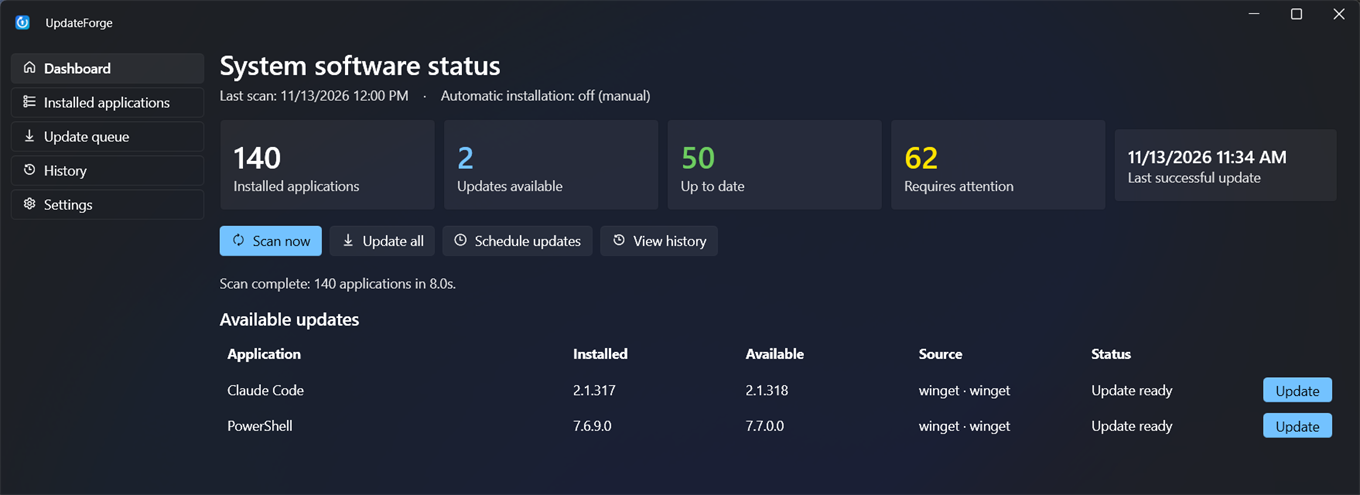
One list for everything on the PC, whichever tool installed it, with updates that are checked after they run.
Reads WinGet packages, the Windows uninstall registry (read-only), Microsoft Store and MSIX apps, and Scoop, Chocolatey and npm global packages when they are installed.
WinGet, Store, Scoop, Chocolatey, npmAn unknown version is never reported as newer, and Update Forge never invents installers or switches. If it cannot update something, it says so.
Installs up to three WinGet updates at once (adjustable) and retries when Windows Installer is busy. Other package managers run one at a time.
After each install it re-reads the installed version. A "success" that left the old version in place is reported as a failure, not a win.
If the app closes mid-install, the next run compares the real installed version and records what actually happened in your history.
When an app is open and its files are locked, you see which process to close. A staged Store update says "reopen the app", not "failed".
A per-user Task Scheduler task scans even when the window is closed. In Automatic Safe mode it installs only supported, non-elevated updates.
Optional
A Fluent desktop app with light and dark themes and a tray icon, plus
updateforge-cli with scan, outdated,
update --all, export, bundle and --json.
Save the list you are looking at, with its search and filter applied, as a spreadsheet file. Formula-like names are neutralised so the file is safe to open in Excel.
GUI and CLISave your WinGet apps to a bundle file, then import it on a new PC to install whatever is missing. Bundles are treated as untrusted: every entry is validated first.
GUI and CLISkip one version and still be offered the next, or exclude an app entirely. WinGet pins and Scoop holds are respected.
Export a redacted ZIP of logs and provider state for a bug report, and review it before you attach it anywhere.
RedactedSearch every application on the PC, and keep a history of each update with its result.
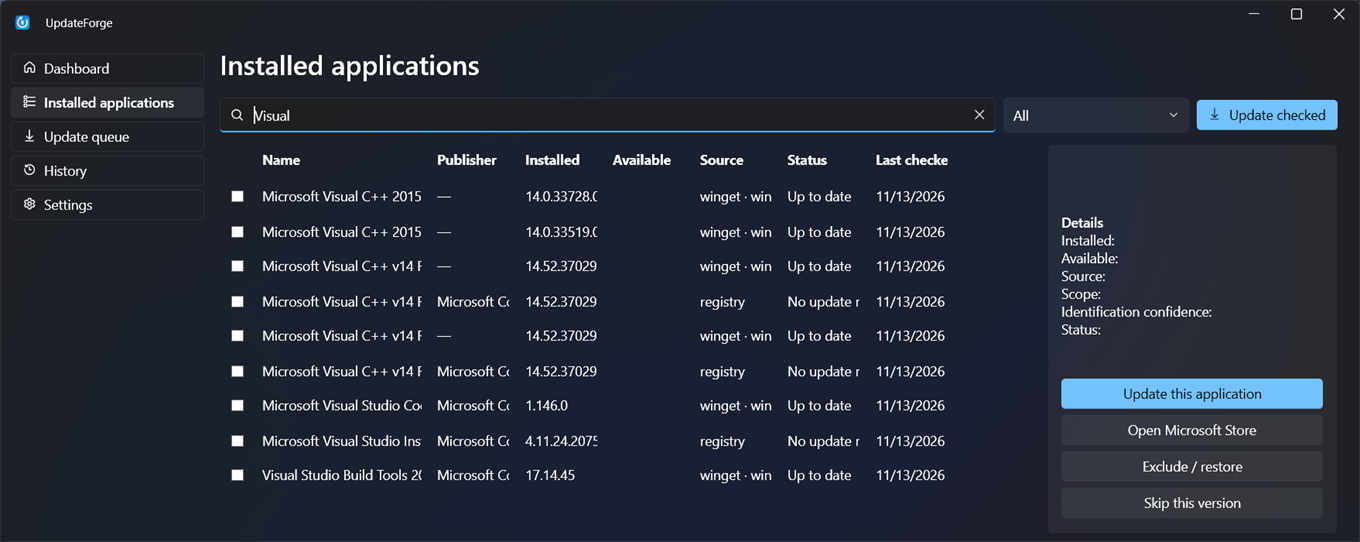
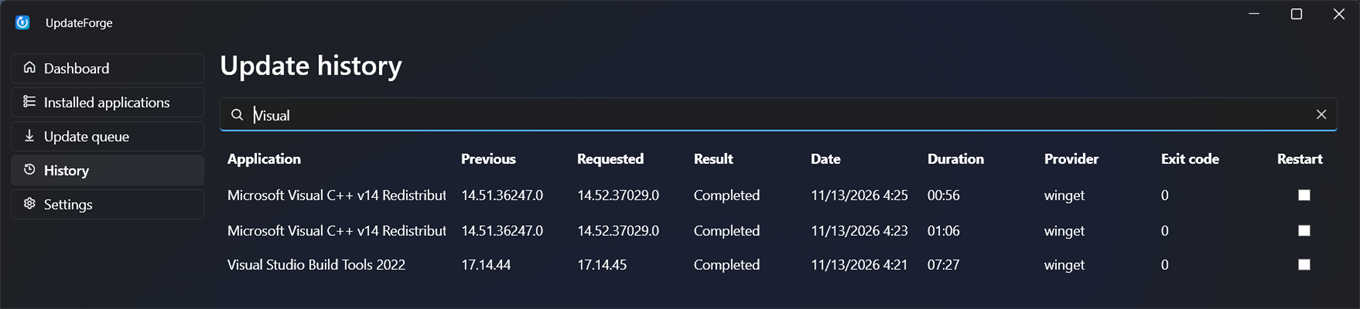
Every application gets exactly one status, so you always know what Update Forge can do and what it cannot.
Updating software is a trust decision. Update Forge keeps its own behaviour small and checkable.
No accounts, no ads and no phoning home. Your inventory and history stay in a local database on your PC.
It calls package-manager command lines at fixed paths with strictly validated
arguments. No shell strings, no --force and no hash bypass. Pins and
holds are respected.
Manual mode is the default. It never restarts your PC automatically, and the scheduled task never runs as SYSTEM and never elevates.
| Source | Status |
|---|---|
| WinGet packages | Discovery, update detection, pins and silent installs. Needs WinGet (App Installer). |
| Chocolatey | Supported when installed. Upgrades need administrator rights, so run Update Forge as administrator. |
| Scoop | Supported when installed. Global installs need administrator rights. |
| npm (global packages) | Supported when Node.js is installed. Update and install by exact version; linked packages are left alone. |
| Microsoft Store apps | Listed, with a handoff to the Store. Windows has no supported way to update other apps for you. |
| Other installed software | Shown from the uninstall registry for inventory only. Update Forge will not guess an installer. |
Built for Windows 11 x64. Windows 10 2004 and later is expected to work but is untested. ARM64 is not supported yet.
Update Forge is a 0.1.0 release candidate and there is no packaged download yet. Until the first release, build it from source in a few commands. A per-user MSI and a portable ZIP, each with SHA-256 checksums, are planned for GitHub Releases.
You need Git, the .NET 10 SDK and WinGet (App Installer, included with Windows 11).
winget install Git.Git Microsoft.DotNet.SDK.10git clone https://github.com/mikeholp87/update-forge.git
cd update-forge
dotnet build UpdateForge.CI.slnf -c Releasedotnet run --project src/UpdateForge.Desktop -c ReleaseTo update Chocolatey or system-wide packages, start it from an administrator terminal.
dotnet run --project src/UpdateForge.Cli -c Release -- outdated
dotnet run --project src/UpdateForge.Cli -c Release -- update --all
Add --json for scripts. Read the
known limitations
before relying on it unattended.
No. There is no telemetry and no account. The only network traffic is your package managers (WinGet and friends) fetching the updates you ask for.
An installer cannot replace files that a running program has open. Close the app named in the message and retry. Some Store apps install fine but only apply the update the next time you reopen them, which Update Forge shows as "restart required" instead of failed.
Not for most WinGet updates. Chocolatey upgrades and some system-wide installers do need it, and Update Forge leaves those as "approval required" unless you started it elevated. The scheduled background run never elevates.
Never automatically. If an update needs a restart, Update Forge tells you and leaves the timing to you.
Windows cannot update arbitrary third-party software. If no supported package manager knows the app, or it needs interaction, Update Forge lists it without pretending it can install anything.
In %LOCALAPPDATA%\UpdateForge: the log files, and a local SQLite database with
your inventory and update history. Use the diagnostics export for a redacted ZIP that is
safe to attach to a bug report.
Open an issue on GitHub. Read the security policy first for anything sensitive.